
Analyse AI is out of beta. Here’s what we built and why.
Thrive Analyse: Why we ditched dashboards and built something that simply answers the question

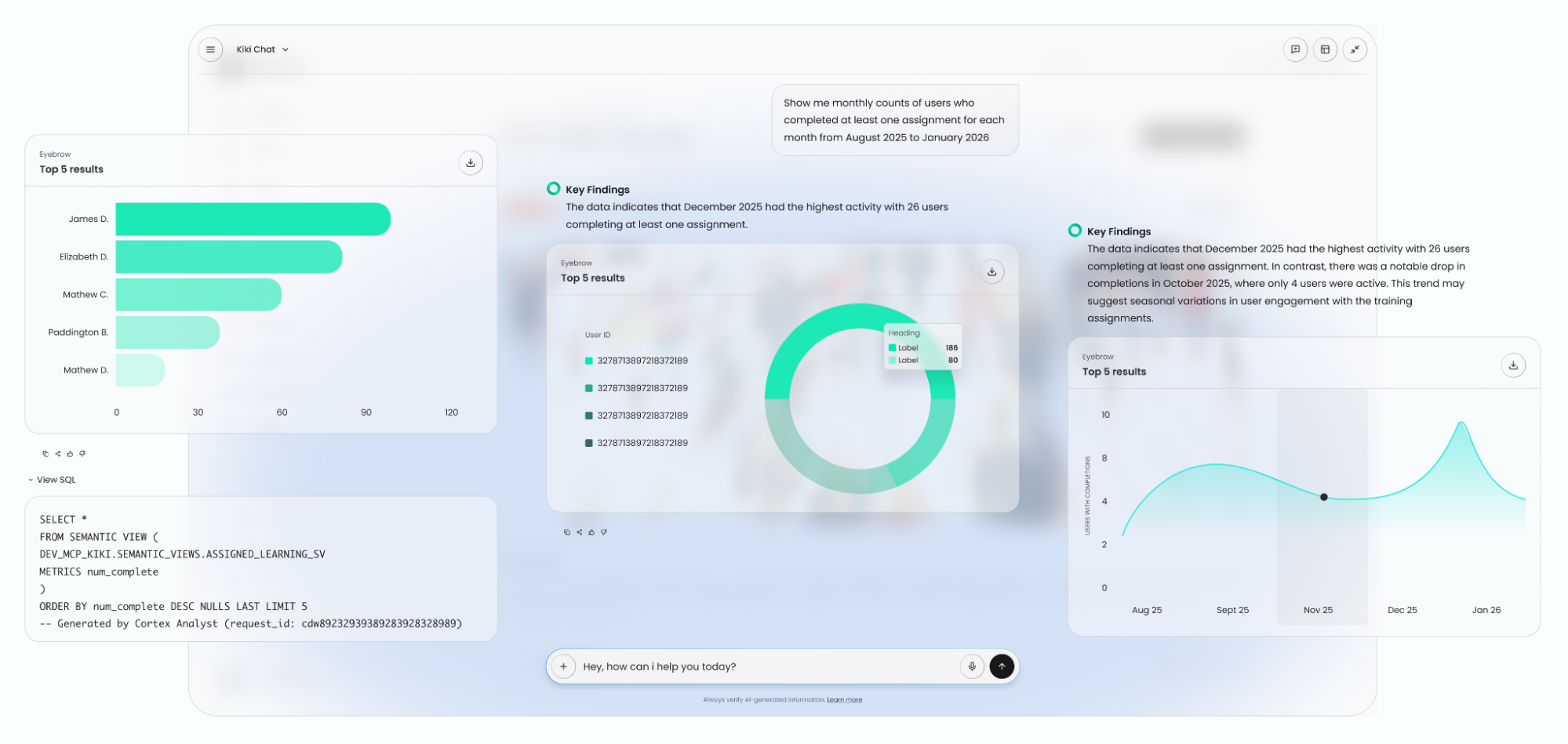
I’ll be honest with you. The thing that frustrated me most about learning analytics wasn’t the data. It was the distance between having a question and getting an answer.
You'd want to know something simple: which courses are people actually finishing? Where are they dropping off? What's working? But instead of just knowing, you'd have to hunt out the answer — opening a dashboard, navigating to the right report, applying the right filters, exporting something, building a chart. By the time you had it, you'd have already forgotten why you needed it.
That gap between question and insight is what we built Analyse AI to close. And today, it’s officially out of beta and available as a premium feature to all Thrive customers.
What is Analyse AI?
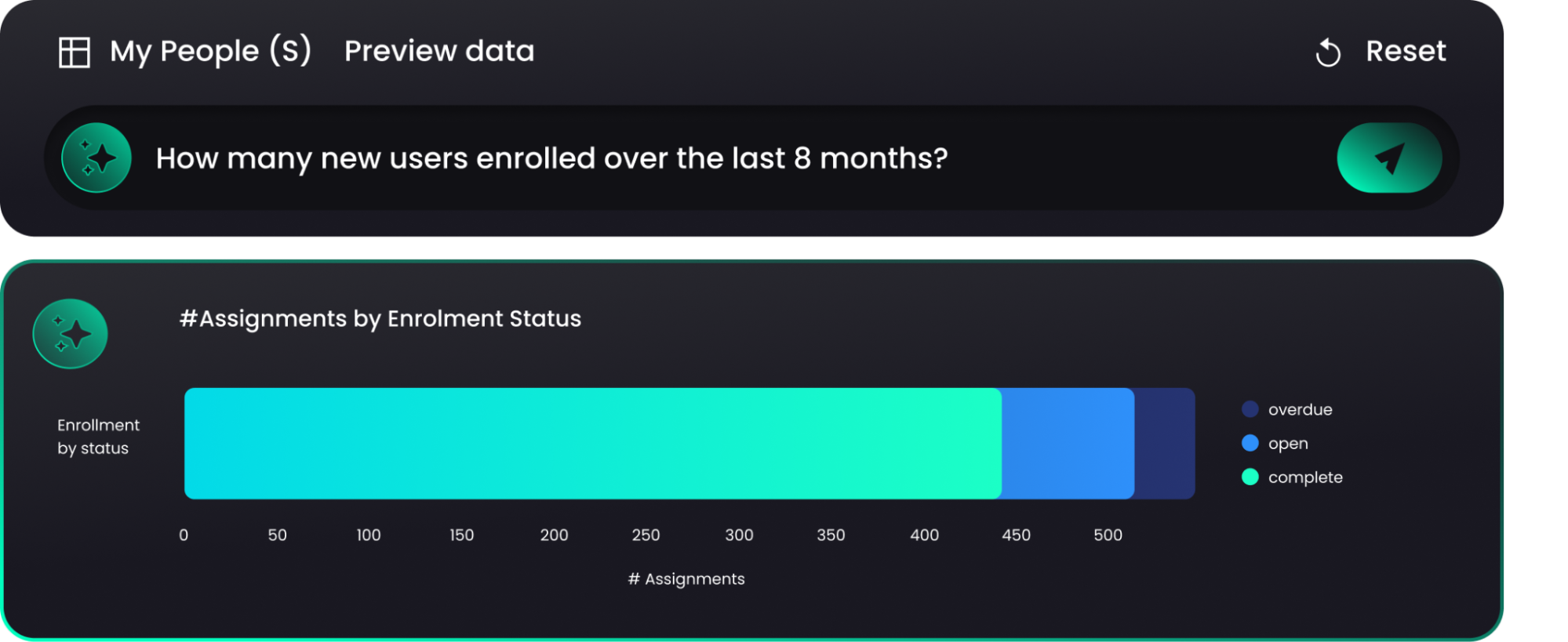
Analyse AI lets super admins query their Thrive learning data in plain English. You type a question, you get an answer. No dashboards, no reports, no exports.
It sits inside the Thrive platform under Insights > Analyse with AI. If you’re already a customer, it’s right there waiting for you.
What can you ask?
Anything you’d normally need a report for. A few examples of the kinds of things customers have been asking during beta include:
- Which courses have the lowest completion rates this quarter?
- How many learners started but didn’t finish their compliance training?
- Which teams are most active on the platform right now?
- What content is getting the most engagement this month?
Why we built it this way
There's a version of this feature we could have built that involved new dashboards, more filters, more views. We didn't build that version.
That's because we know the insight most L&D and HR teams need won't be found buried in a chart somewhere; it's found in the answer to a specific question they have — usually because someone from the leadership team has just asked them, or because they're trying to make a case for a programme or budget.
So we built something that gives you the answer. One prompt, straight back to you.
What we learned in beta
We've had customers using Analyse AI for several months now, and the feedback has shaped where we've taken it.
The thing that surprised us most was how quickly it became part of how people worked. Admins who started using it stopped going to dashboards for the same questions. It just became the faster path.
The questions customers were asking Analyse AI during beta told us a lot about what matters most to L&D teams right now: completion data, engagement trends, and proving impact to stakeholders.
That last one came up a lot: proving impact. Which is exactly what a tool like this is for.
How to get it
Analyse AI is a premium add-on, available to buy directly inside your Thrive platform – which is itself something new. This is the first time we've let customers buy a premium Thrive feature self-serve, without a sales conversation. Head to Insights > Analyse with AI and you'll see three options: Try it for free for 30 days, buy now, or book a meeting with your Account Director.
What’s next for Analyse AI?
This is the first product you can buy self-serve inside Thrive. It won't be the last. We're building a pattern here (discover, try, buy) that removes friction and that we'll extend to other features over time. Kiki Analyse is the first proof point.
We’re also continuing to develop what Analyse AI can do. The questions it can answer, the data it can reach, the way it presents results. Beta was the beginning of that conversation. If you’ve got feedback on what you’d like it to do next, we genuinely want to hear it.
Already a Thrive customer? Get your free trial straight from your platform. Just head to Insights > Analyse with AI.
Want to find out more about Thrive and its features? Book a call.