
Now live for 5 million+ learners worldwide
HRIS Widget: Time Off
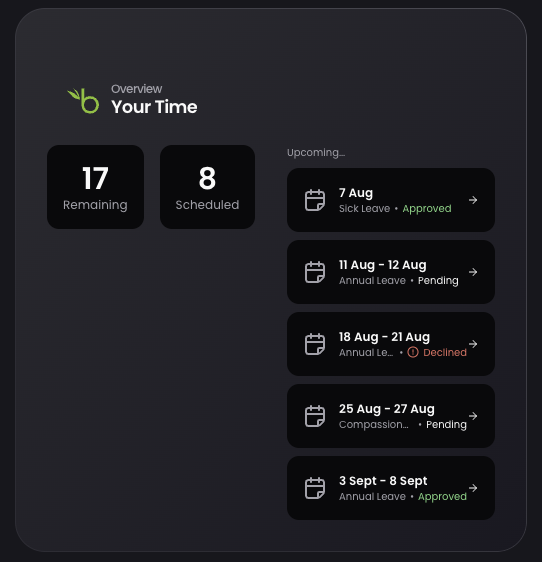
The first HRIS widget in Hub lets employees view their annual leave balance, entitlement, booked and remaining, directly in Thrive.
Released
Hub
Overview
The Time Off widget brings core annual leave information into Hub, letting employees see their leave without leaving Thrive. This first release is view-only, with booking planned as a fast follow.
What's new
- A Time Off widget showing leave entitlement, booked and remaining
- Data read live from a connected HRIS, supporting BambooHR at launch
- Booking time off directly from the widget is planned as a fast follow
Why / benefits
- Lets employees check leave alongside learning and comms in one place
- Handles a high frequency HR task without switching systems
- Establishes a reusable pattern for future HRIS and other widget categories
How it works
- Admins enable the widget and configure their HRIS provider in Hub settings
- Users add the widget to their personal Hub and connect their HRIS account
- Once connected, the widget displays entitlement, booked and remaining leave
Use cases
- An employee quickly checks their remaining leave allowance before planning time off, without opening a separate HR system.
People/personas
- All Hub users can add the widget, connect their HRIS account and view their leave balance
- Admins enable the feature and configure the provider for their organisation
Better ways to power learning
Explore the latest feature releases and get even more from Thrive.
