
Now live for 5 million+ learners worldwide
Hub Admin Templates
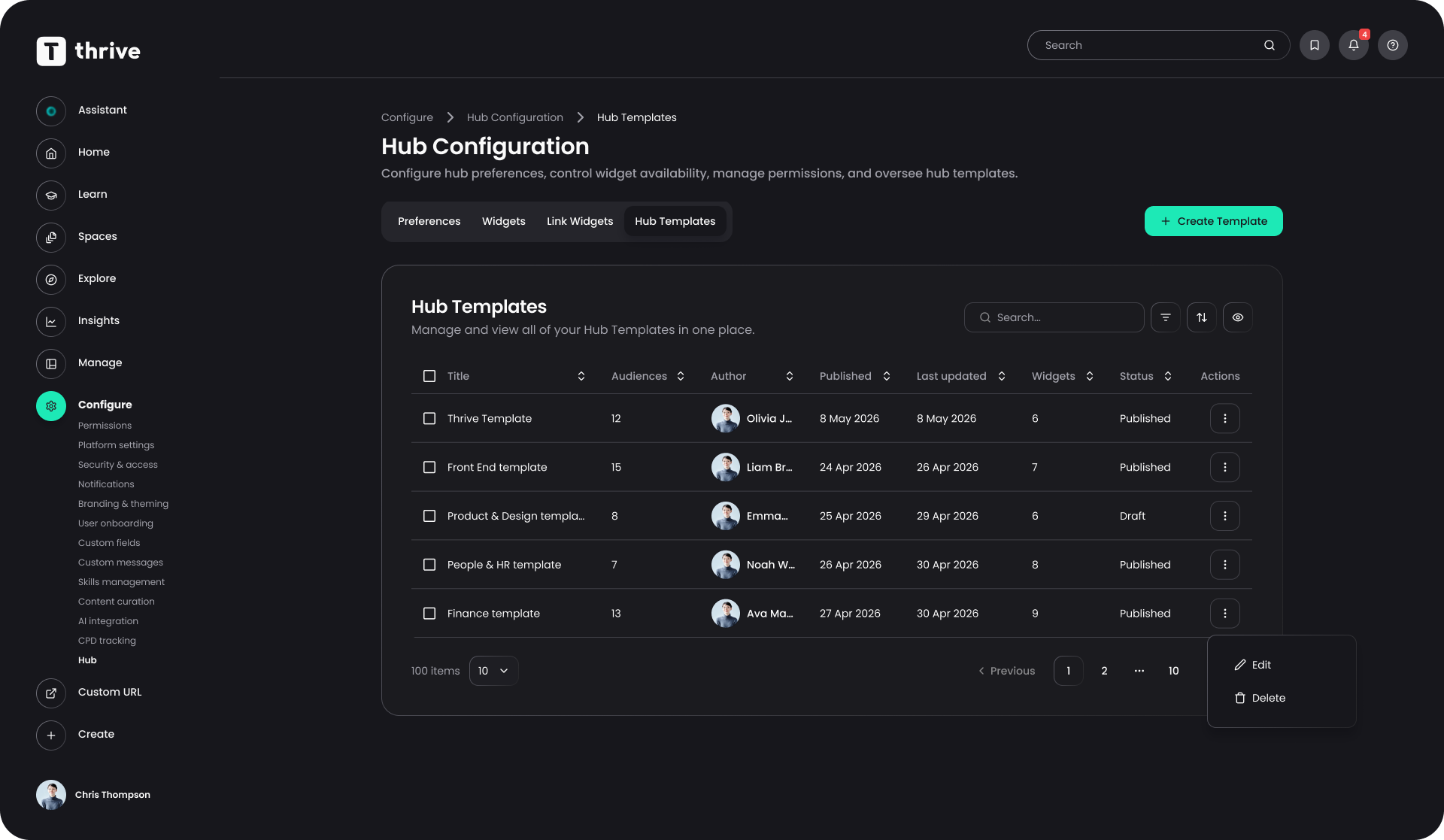
Admins can now build default and audience-specific Hub templates so every user gets a relevant Hub from their first login.
Released
Hub
Overview
Until now, all users saw the same starting Hub. This release lets admins tailor the Hub experience by audience, so different groups land somewhere that already feels built for them.
What's new
- A default Hub template that applies to everyone
- Audience-specific templates for different user groups, layered on top of the default
- Automatic de-duplication for single-instance widgets like Email or Calendar when a user matches multiple templates
Why / benefits
- Faster time to value for new users, with relevant content and tools there from first login
- Less admin effort, configuring once per audience instead of guiding users individually
- Higher engagement, since users see widgets that match their role
How it works
- Admins build templates and assign them either as the default or to one or more audiences
- When a user accesses their Hub for the first time, the relevant widgets are applied
- Users in multiple audiences receive the combined set of widgets from every template they match
Use cases
- A frontline team, a leadership group and a head office team each get a Hub template configured around how they actually work.
People/personas
- L&D leaders and admins get easier configuration and better engagement metrics
- Frontline and operational managers get teams whose Hub is built around how they work
Better ways to power learning
Explore the latest feature releases and get even more from Thrive.
