
Now live for 5 million+ learners worldwide
Mobile Campaign Banner
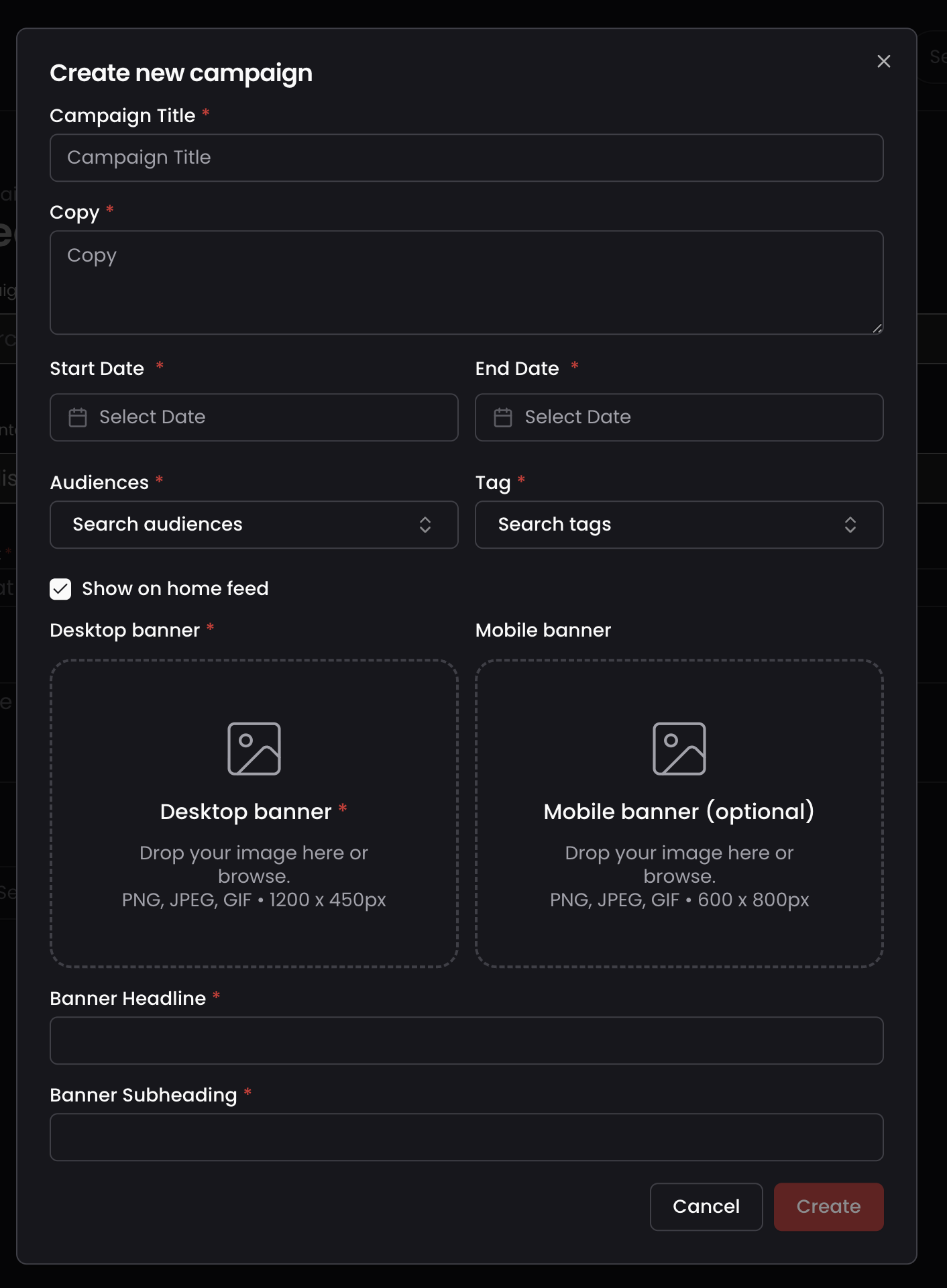
Admins can now upload a dedicated mobile-optimised banner for Campaigns, so learners on mobile get a properly formatted visual.
Released
Mobile
Overview
Campaigns are one of the most visible touchpoints in Thrive, often the first thing a learner sees when they open the platform. Until now, admins could only upload a single desktop banner, reused across all devices, which meant banners were often cropped or lost impact on the mobile app.
What's new
- A new, optional Mobile Banner field alongside the existing Desktop Banner field when creating or editing a campaign
- If no mobile banner is uploaded, the campaign continues to display the desktop banner everywhere, with no disruption to existing campaigns
Why / benefits
- Campaign banners fill mobile screens properly, feeling intentional rather than like a desktop afterthought
- More visually compelling banners on mobile drive higher campaign engagement
- Particularly valuable for organisations with frontline, deskless or retail employees who primarily access Thrive via mobile
How it works
- Admins go to campaign creation and see two banner fields, Desktop Banner and Mobile Banner
- The desktop banner remains mandatory, the mobile banner is optional
- Learners on mobile devices see the mobile banner, tablets and desktop see the desktop banner
Use cases
- An organisation with a largely mobile-first workforce uploads a dedicated mobile banner so campaigns look polished on the device most learners use.
People/personas
- Admins creating campaigns get full control over how banners appear on every device
- Learners on mobile get a properly formatted, engaging campaign banner
Better ways to power learning
Explore the latest feature releases and get even more from Thrive.
