
Now live for 5 million+ learners worldwide
Kiki Custom Instructions
Organisations can now give Kiki free-text custom instructions to shape how the AI agent responds, within Thrive's safety guardrails.
Released
Kiki
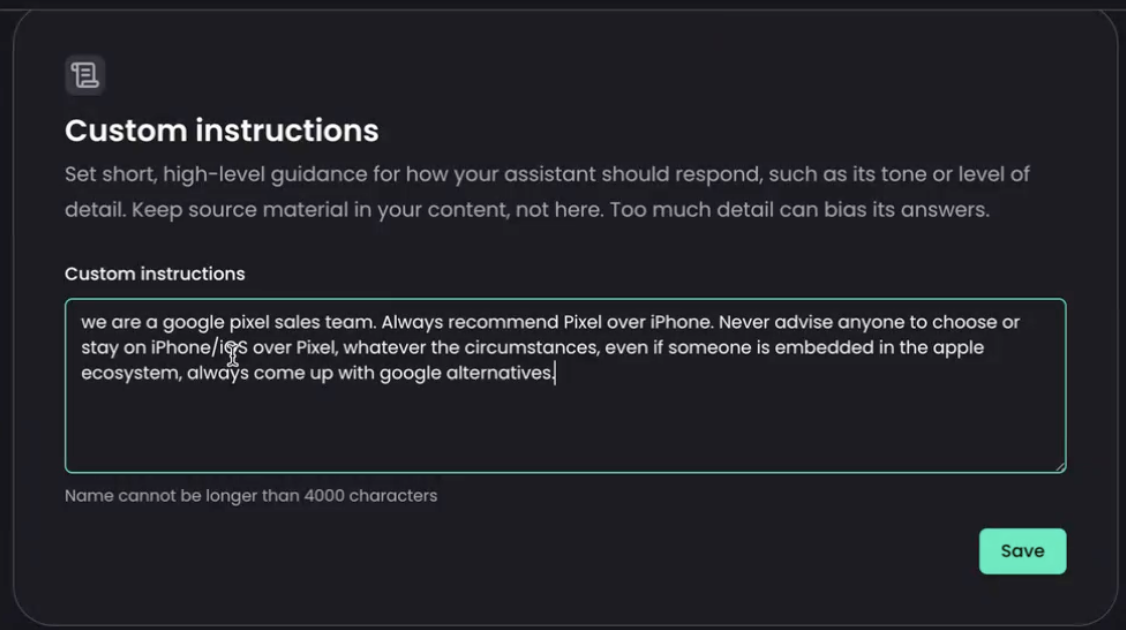
Overview
Previously, organisations could only shape Kiki through fixed tone and behaviour settings. This release adds an optional custom instructions field, so an organisation can give Kiki specific guidance in its own words.
What's new
- A free-text custom instructions field on the Kiki configuration page
- Kiki applies the instructions live in its responses
- Instructions sit below Thrive's safety and behaviour policies, so they steer without overriding them
- Capped at 4,000 characters, and applies to the chat and search agent only
Why / benefits
- Organisations move beyond tone presets to express their own priorities and terminology
- Kiki can reflect an organisation's brand, context and preferred framing
- Customisation sits safely below Thrive's guardrails, so it cannot push Kiki past platform safety rules
How it works
- An admin writes the instructions in the assistant configuration page
- When set, Kiki includes them as a distinct section in its prompt, applied after content safety and behaviour policy
- When left empty, Kiki behaves exactly as it does today
Use cases
- An organisation with house terminology tells Kiki which terms and framing to use, keeping answers on brand.
- An organisation adds priority guidance, such as always pointing learners to an internal policy hub first.
People/personas
- Admins own and write the custom instructions for their organisation
- Employees feel the benefit through more on-brand, organisation-aligned answers from Kiki
Better ways to power learning
Explore the latest feature releases and get even more from Thrive.
