
Now live for 5 million+ learners worldwide
Licence Insights on the Manage Users Page
Admins get a clear view of registered users against contracted licences directly on the Manage Users page.
Released
Basics
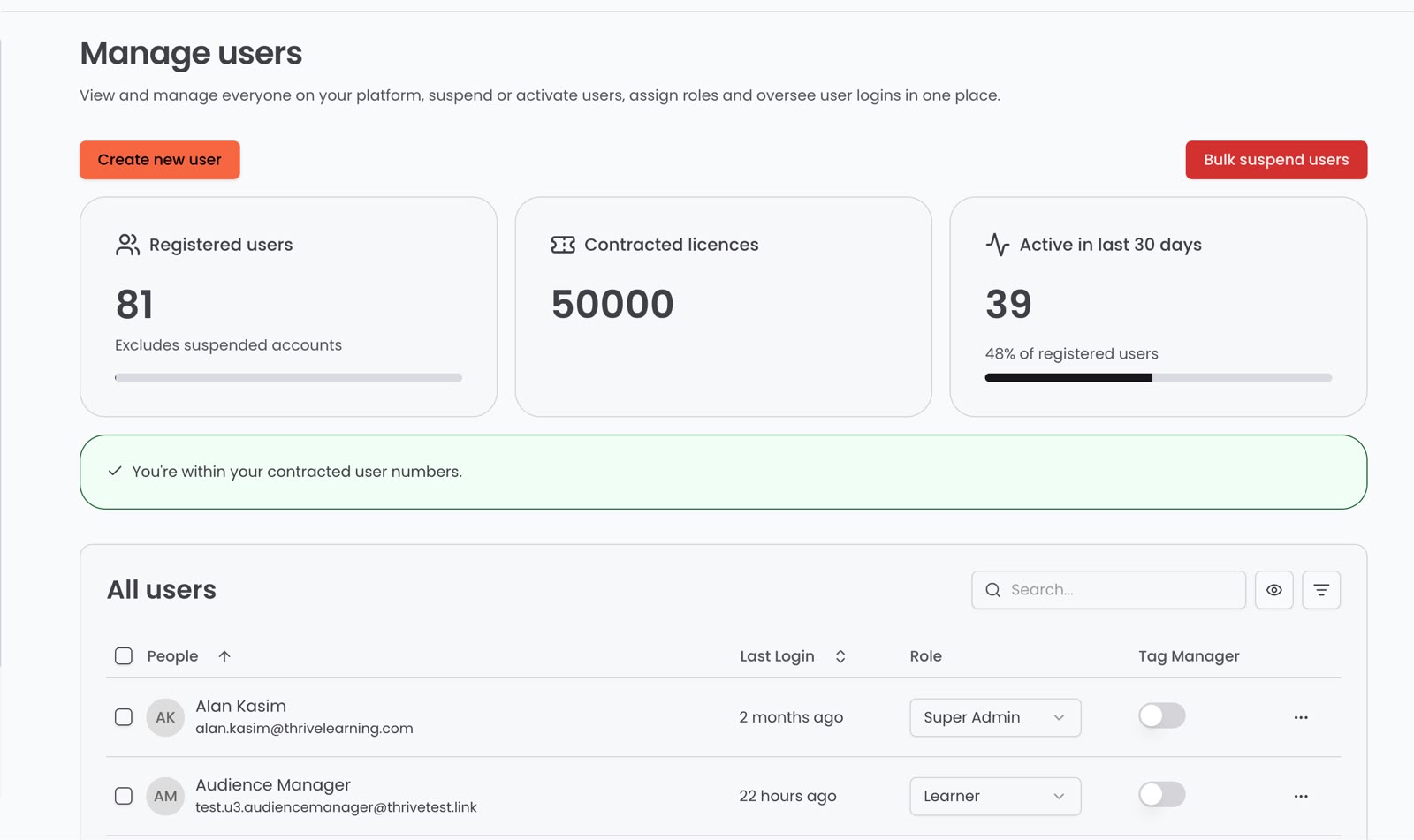
Overview
Admins managing users previously had no clear view of where they stood against their contracted licences. Registered user counts lived on the platform, contracted numbers lived in the contract, and reconciling the two was manual. This release brings both together automatically.
What's new
- Three summary cards on the Manage Users page, registered users, contracted licences and active users in the last 30 days
- A licence status indicator showing whether an organisation is comfortably within its contracted limit, approaching it, or over it
Why / benefits
- A shared, visible view of licence position for admins, so there are no surprises at renewal
- Active user data sits alongside registered users, showing real engagement against the contract
- Over-licence situations get caught early rather than at renewal
How it works
- Registered users and thirty-day activity come from the platform, contracted licences come from the customer's contract record
- Status shows as healthy under 90% of contracted licences, near limit between 90 and 100%, and exceeding limit over 100%
- Suspended users are excluded from the count that drives the status
Use cases
- An admin at a growing organisation sees they are approaching their limit and plans ahead before renewal.
- An admin checking their user count can see suspended users do not count toward the limit.
People/personas
- Customer admins and Super Admins see the cards and manage their own licence position
- CS and renewals teams get an early, accurate picture of licence usage without a manual audit
Better ways to power learning
Explore the latest feature releases and get even more from Thrive.
