
Now live for 5 million+ learners worldwide
Slack's AI Assistant Now Connects to Thrive's MCP
Slack's own AI assistant can now connect to Thrive's MCP, letting teams find content and take action in Thrive from inside Slack.
Released
Basics
Overview
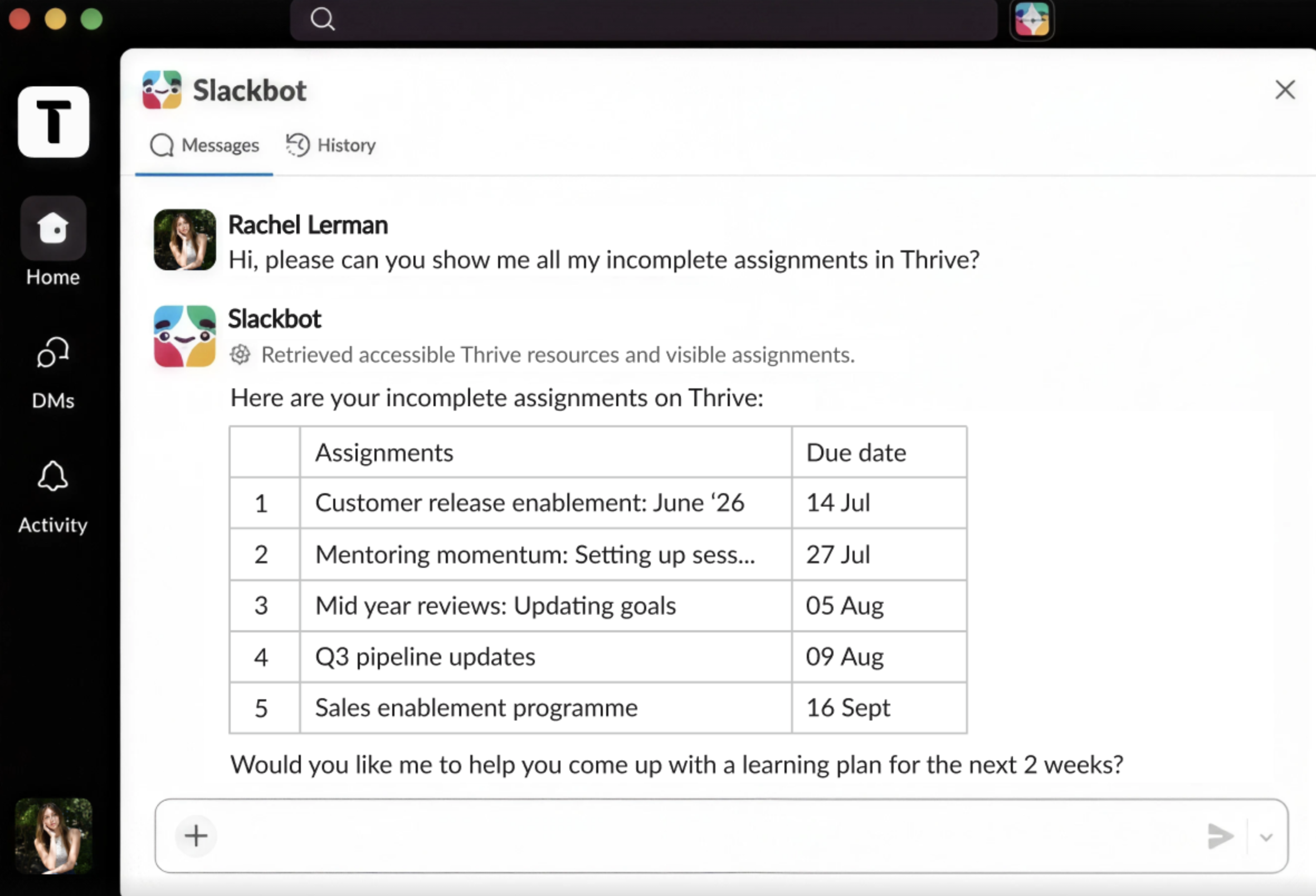
Slack's AI assistant can now connect to external MCP services, including the same Thrive MCP server that also powers Kiki. This is not a new Thrive integration, it is a capability unlocked by Slack that works with the MCP server Thrive already provides.
What's new
- Slack's AI assistant can connect to Thrive's MCP and interact with the platform conversationally
- Users can ask for information from Thrive or take action within it, without leaving Slack
- Responses can be shared into team channels, turning an individual lookup into shared team knowledge
Why / benefits
- Brings learning into the flow of work, inside a tool many teams already use all day
- No context switching, users get answers and complete tasks without opening another tab
- No build effort required, teams on the right Slack plan can connect and go
How it works
- Slack's AI assistant uses the open MCP standard to connect to Thrive's MCP
- Users chat in plain language and the request routes to Thrive, returning the result in Slack
- Permissions are respected, users authenticate with their own Thrive credentials and only see what they are entitled to
Use cases
- A frontline manager asks Slack's assistant to pull their team's compliance training status without opening Thrive.
- An employee mid-task asks Slack's assistant to find a Thrive article on a process, with the answer arriving in the conversation where the question came up.
People/personas
- L&D leaders and frontline managers get Thrive answers and actions where their people already work
- Employees get instant access to Thrive knowledge without leaving Slack
Better ways to power learning
Explore the latest feature releases and get even more from Thrive.
