
Now live for 5 million+ learners worldwide
Structures and Audiences UI Uplift
A visual and workflow uplift to Structures & Audiences, with a new overview, global search, and simpler creation flows.
Released
Basics
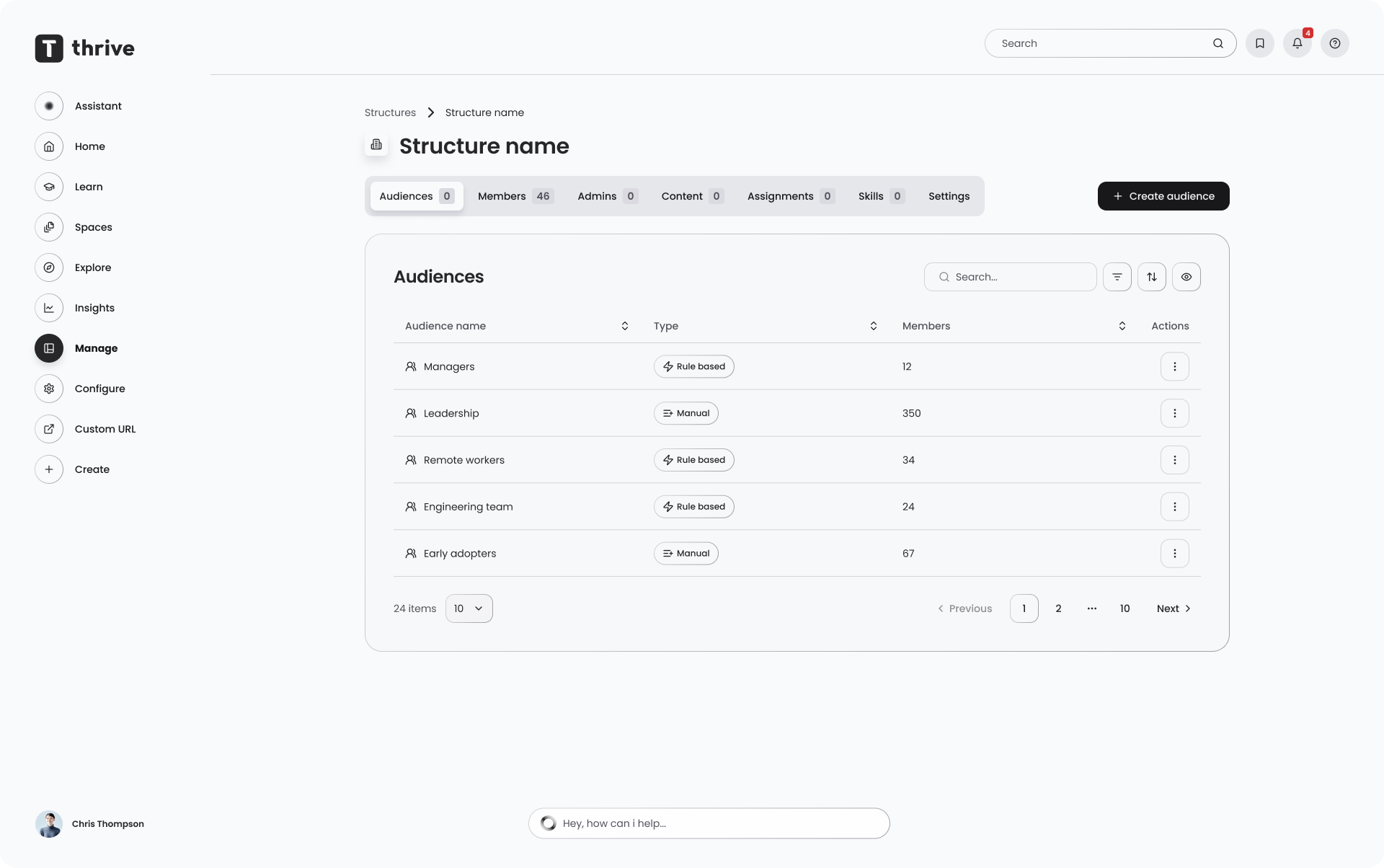
Overview
Structures & Audiences is how admins organise who sees what on the Thrive platform. This release modernises the whole area, fixing the things that slowed admins and implementation teams down. It is a UI, visibility and flow uplift, the underlying model of structures containing audiences is unchanged.
What's new
- A new structures overview showing how many audiences sit within each structure at a glance
- Global search across every structure and audience, with each result showing which structure it belongs to
- The root audience concept is folded into structure settings, so configuration lives in one place
- Simpler creation flows for structures and audiences
- Refreshed drill-in views for structure detail, audience detail, and member management
- Admins can now pick a specific target date when creating an assignment
Why / benefits
- An overview of all structures and how many audiences each holds, where there was none before
- Global search removes the need to open every structure to find an audience
- Structure settings live in one place instead of being split across two areas
- Shaped by user testing across multiple customers and Thrive's own implementation teams
How it works
- The overview shows all structures with their audience counts and hierarchy
- Search queries every structure and audience, listing matches with their parent structure
- Structure settings merge what used to be split between root audience and structure settings, with no change to existing behaviour
- A calendar date picker sets an assignment's completion window rather than a fixed date, so new joiners get the same amount of time forward
Use cases
- An implementation consultant setting up a new customer finds an audience instantly through global search instead of opening structures one by one.
- An admin at a large enterprise uses the overview to spot a structure that has grown too large and needs tidying.
People/personas
- Admins managing structures and audiences day to day get a faster, clearer workflow
- Implementation consultants find and configure audiences more quickly during setup
Better ways to power learning
Explore the latest feature releases and get even more from Thrive.
