Now live for 5 million+ learners worldwide
Manage Content: Advanced Filtering
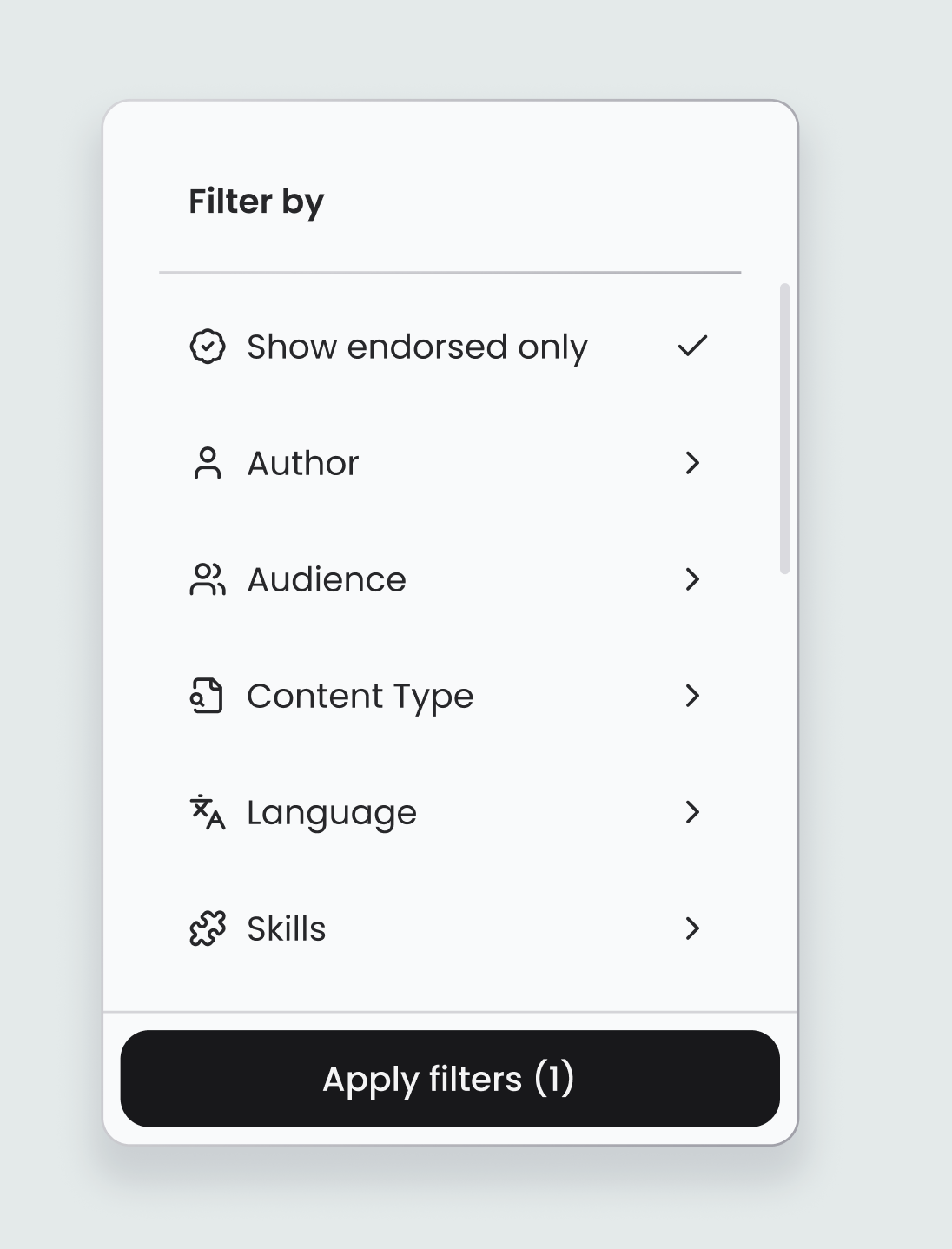
Admins can now filter all platform content by author, audience, content type, language, skills, topics and endorsed status.
Released
Basics
Overview
As content libraries grow, finding the right content quickly becomes a real challenge. The Manage Content page in Thrive now comes with a powerful set of filters to help admins cut through the noise.
What's new
- Filter by author, audiences, content type, language, skills or topics, or show only endorsed content
- Filters can be combined for more precise results
- Accessible via the filter icon on the All Content view
Why / benefits
- Finds content faster, with no more scrolling through hundreds of items
- Audits with confidence, quickly surfacing all content by a specific author, language or skill
- Supports skills-based strategies by filtering to see exactly what learning exists for a capability
How it works
- Admins go to Manage > Content and click the filter icon
- They select one or more filter criteria from the dropdown panel
- The content table updates to show only matching results
Use cases
- An admin auditing a content library filters by author and language to check coverage before a compliance review.
People/personas
- L&D admins and managers get faster content audits and easier library management at scale
Better ways to power learning
Explore the latest feature releases and get even more from Thrive.