Now live for 5 million+ learners worldwide
Learn Feature Controls & Audience Roll-Out
Super Admins can now switch core Learn features on or off and control who sees each one, from Everyone to a specific audience.
Released
Platform
Overview
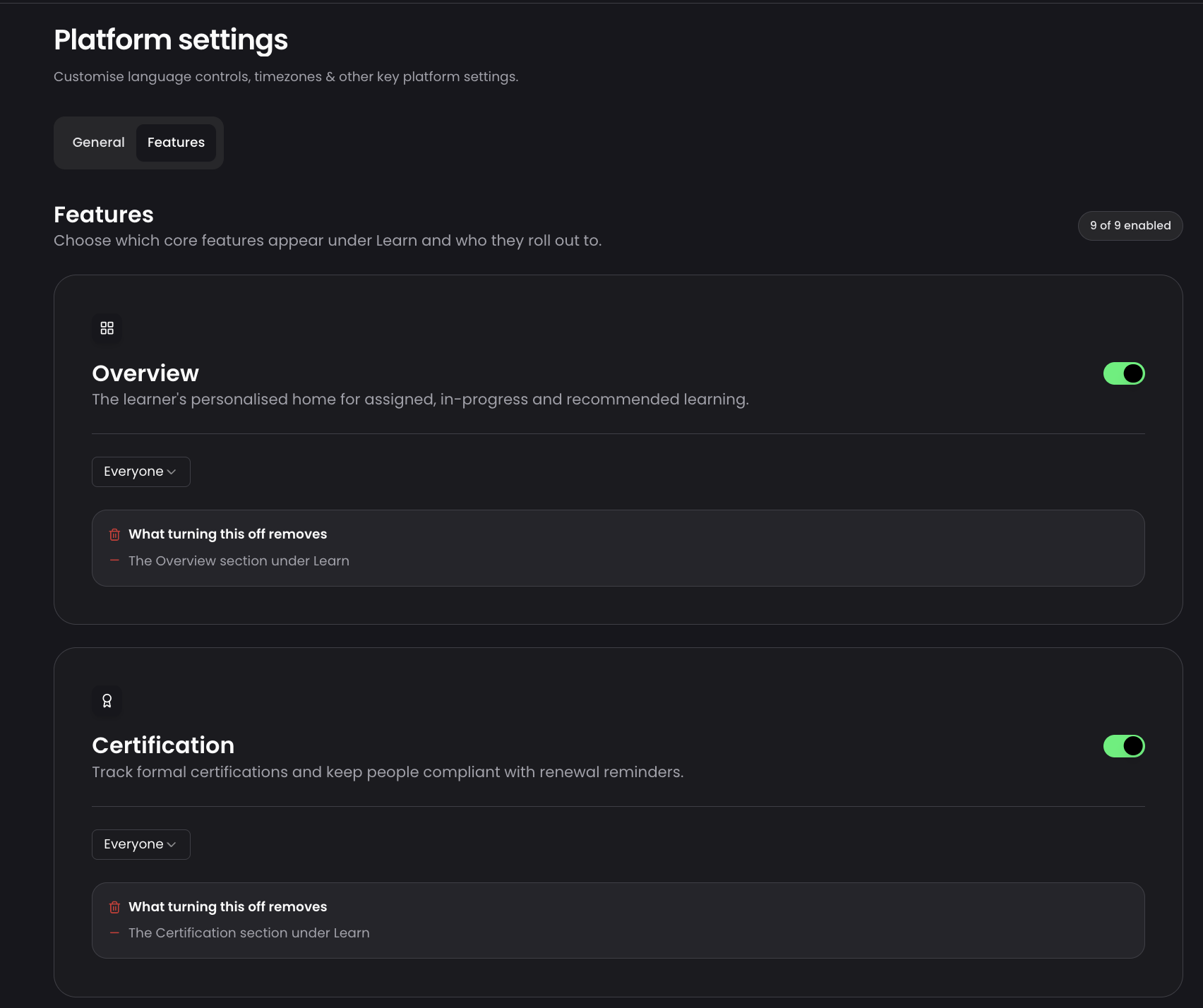
A new Learn features tab in Platform settings lets Super Admins tailor the Learn experience for their organisation, switching each core feature on or off and controlling which audience sees it.
What's new
- A Learn features tab covering nine core features, overview, certification, CPD, badges, goals, explore, skills, events and Spaces
- Each feature can be scoped to everyone, admins only, or a specific audience, with Skills switched on or off only
- An impact panel shows what turning a feature off removes before admins save
- Goals requires Skills, and locks automatically if Skills is off
Why / benefits
- Organisations surface only the features relevant to their people, reducing clutter for learners
- Features can be piloted with admins or a small audience before opening up to everyone
- Admins configure this themselves, with no bespoke development work needed
How it works
- Super Admins go to Configure > Platform settings > Learn features
- Each feature has a toggle and an availability setting, everyone, admins only, or a specific audience
- Disabling a feature hides it everywhere, including navigation, direct links, content flow and profile, for admins as well as learners
Use cases
- An organisation piloting Explore sets it to admins only, checks it works as expected, then opens it to everyone.
- An organisation that does not run CPD switches it off, and it disappears from the content flow entirely.
People/personas
- Super Admins and Platform Admins own the configuration
- Learners get a cleaner, more relevant Learn navigation
Better ways to power learning
Explore the latest feature releases and get even more from Thrive.