Powering a better learner experience for over 5 million users

A simple LMS with a user experience your people will love

Thrive is rated highly for ease of use on G2 and Capterra by L&D teams, admins and learners. It’s an LMS built to be used, not configured around.

“The feedback we received has been very, very positive. Easy to navigate, our search function is amazing and way better than what we had before. This has been a game-changer for the organisation.”

Karole Monge
Director of Learning & Development, Nothing Bundt Cakes
Krispy Kreme, Ann Summers, the AA and 500+ organisations chose Thrive for an LMS their people actually use.

What is LMS user experience?

LMS user experience is how easily learners, admins and L&D teams use a learning platform every day. A great experience means learners find content quickly, admins manage the platform effortlessly, and L&D teams launch programmes without relying on IT. Thrive delivers all three.

A user-friendly LMS for every role

A simple LMS interface for learners

One login, one hub and one search that works across courses, PDFs, videos, knowledge articles and connected systems. Kiki, Thrive’s AI agent, gives one direct answer rather than a list of links, so learners find what they need in seconds.

Learning admin that runs itself

Kiki handles platform admin from a single prompt: enrol an office, chase every non-completer, archive outdated content or pull a compliance summary. It’s included as standard, and it saves teams 40 hours a month on admin.

Launch learning programmes without IT

Drag-and-drop learning pathways, campaign tools and an AI content creator that turns a prompt or PDF into a finished course in minutes. There’s no authoring tool or instructional designer needed.

The same LMS experience on every device

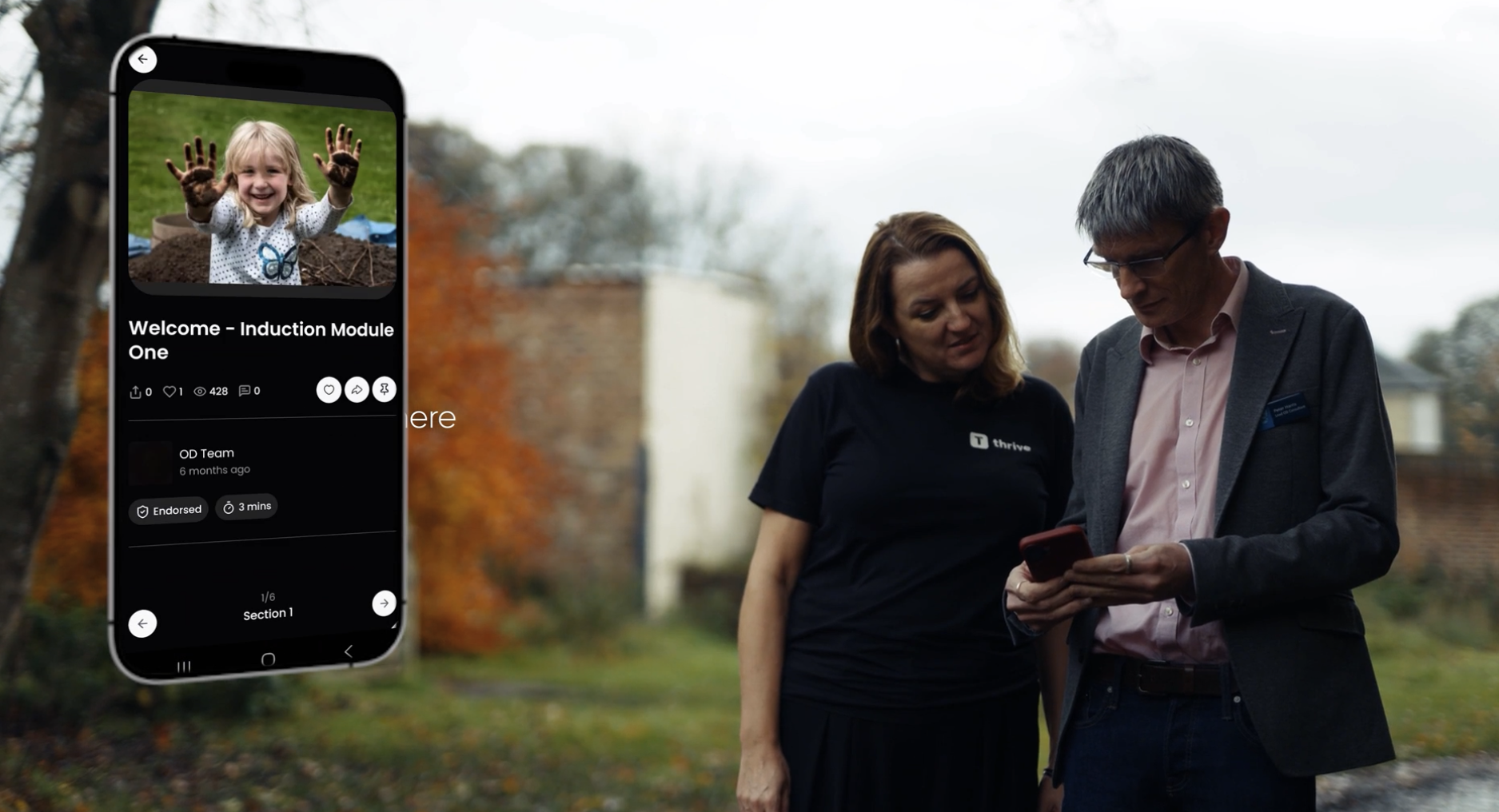
The white-label mobile app on iOS and Android gives people on the shop floor, in a van or between shifts the same experience as someone at a desk.

A better LMS user experience, for every role

LMS user experience looks different depending on who you are. Here's what each person gets out of the box, with nothing extra to buy.

LMS user experience by role: what learners, L&D managers, admins, IT and leadership need from an LMS and how Thrive delivers it
WhoThe role What they needA good experience means How Thrive delivers itIncluded as standard
Learner Find content fast, anywhere, on any device

One hub, AI search with Kiki, a mobile app and 74 languages, built to WCAG 2.2 AA (partially compliant)

L&D manager Build and launch programmes without IT

Drag-and-drop learning pathways, an AI content creator and campaign tools

Platform admin Run the platform without a manual

Kiki handles admin from a single prompt, saving teams 40 hours a month

IT and security Integrate, stay compliant and control access

65+ integrations, single sign-on and ISO 27001, SOC 2 and ISO 9001 certification

Senior leadership Measure impact and justify the investment

Real-time analytics, goal tracking and training ROI reporting

Every feature above is included as standard. No add-ons, no extra modules, no surprises.

“Thrive has completely changed the way we do learning and development here. It’s made everything so much more engaging, way more accessible, and so much more effective with everything we roll out.”

Ellie George
Learning and Development Manager, St Austell Brewery

What teams gained
when learners actually used it

Every organisation is different, but the pattern is consistent: a simpler, more user friendly  LMS experience means more people use it.

Adoption

99%

user adoption in the first six months at Krispy Kreme, across 120+ locations across the UK.

Engagement

330%

boost in engagement at Ann Summers, with 90% of stores increasing average transaction value.

Growth

75%

customer growth at the AA’s Driving Instructor Training Academy, supported through Thrive.

Onboarding

1.5X

Faster onboarding and better staff training at Burger King, across thousands of locations worldwide.

Thrive delivers a better LMS user experience for learners, admins and L&D teams, making it easier to find content, manage learning and launch programmes. With intuitive navigation, AI-powered support and personalised experiences, Thrive makes everyday learning simpler for over 5 million users.

See Thrive in action→

LMS accessibility, in full

An accessible LMS should be open about where it stands. Here's exactly how Thrive meets accessibility standards, and where we're still improving.

Thrive LMS accessibility: WCAG 2.2 AA and EN 301 549 conformance, assistive technology, assessment approach, known issues and excluded content
Accessibility areaWhat buyers check Where Thrive standsFrom our accessibility statement
Standards
Partially compliant with WCAG 2.2 AA and EN 301 549. The platform works to the standards in the vast majority of cases, with a small number of known non-compliances being fixed.
Assistive technology
Designed to work with JAWS, NVDA, ZoomText and Dragon NaturallySpeaking, on current versions of Chrome, Edge and Safari.
Technical foundation
Built on HTML, WAI-ARIA, CSS and JavaScript, the technologies relied on for conformance with accessibility standards.
How accessibility is assessed
  • Regular internal reviews by qualified team members
  • An annual external accessibility audit by a third party
  • Formal accessibility reviews and quality assurance checks
  • Diverse users included in testing
How accessibility is built in
  • Accessibility embedded into internal policies and procurement
  • Ongoing accessibility training for staff
  • Clear accessibility goals and responsibilities
Known issues being fixed
  • Text rendering when zooming text only to 200% (WCAG 1.4.4, resize text)
  • Some status messages not announced correctly by screen readers (WCAG 4.1.3, status messages)
  • Some grouped fields not contained in a fieldset (WCAG 1.3.1, info and relationships)
  • Header and footer menus overlapping content at 400% zoom (WCAG 1.4.10, reflow)
  • Some elements requiring dragging movements (WCAG 2.5.7, dragging movements)
Content outside Thrive's control
Third-party and uploaded content can't be guaranteed accessible, including uploaded files (PDFs, Word documents), external links, eLearning packages, videos without captions (uploading VTT caption files is supported), Question Mark assessments and Detailed Insights dashboards.
Reporting an issue
Customers can log a ticket via the Support Portal or contact their Customer Success Manager. End users can raise issues with their organisation's representative, who can escalate them.

Read the full accessibility statement for target resolution dates and the latest updates.

LMS experience FAQs

What is LMS user experience?

LMS user experience is how easy it is for learners, admins and L&D teams to get value from a learning platform every day. A good LMS user experience means learners find and complete content without friction, admins run the platform without a queue of support tickets, and L&D teams build and launch programmes without needing IT.

What is LMS experience?

LMS experience is the overall experience people have when using a learning management system, from logging in and finding content to completing learning and tracking progress. It covers learners, admins and L&D teams, and it's often used to mean the same thing as LMS user experience. A strong LMS experience is the biggest driver of whether people actually use the platform.

What makes a good LMS user experience?

A good LMS user experience means learners can find and complete content without help, admins can manage the platform without raising a support ticket, and L&D teams can build programmes without technical skills. The best platforms combine intuitive design, mobile access, AI-powered search and built-in admin automation, so every user gets value from day one.

What is the most user-friendly LMS for internal training?

The most user-friendly LMS for internal training is one your people use without being chased. Look for one login, one search across all your content, a proper mobile app and admin that doesn't need a manual. Thrive is rated highly for ease of use on G2 and Capterra, and Krispy Kreme reached 99% user adoption in its first six months.

What makes a simple LMS?

A simple LMS gives people one place for everything: one login, one hub and one search across courses, documents and connected systems. It works the same on mobile as on desktop, and it takes the admin load off your team. Thrive keeps it simple by including Kiki, mentoring and the mobile app as standard, so there are no add-ons to configure.

How does Thrive make the learner experience easier?

Thrive puts courses, knowledge articles, communications, goals and skills in a single hub with one login. Kiki, Thrive's AI agent, returns one direct answer rather than a list of links. The mobile app is white-labelled to your brand, so learners on the shop floor or between shifts get the same experience as someone at a desk.

How does Thrive reduce admin workload?

Kiki, Thrive's AI agent, handles platform admin from a single prompt. Bulk enrolments, compliance chasing, content archiving and reporting can all be triggered from one sentence, saving teams 40 hours a month on admin.

Is Thrive accessible?

Thrive is partially compliant with WCAG 2.2 AA and EN 301 549, meaning the platform works to the standards in the vast majority of cases, with a small number of known non-compliances being fixed. It's designed to work with JAWS, NVDA, ZoomText and Dragon NaturallySpeaking, and accessibility is assessed through regular internal reviews and an annual third-party audit. The full accessibility statement lists every known issue, excluded content and how to report a problem.

Does Thrive work on mobile?

Yes. The Thrive mobile app is white-labelled to your brand and available on iOS and Android. Learners access content, pathways, goals and Kiki from their phone, with the same experience as on desktop.

Which LMS has the best user experience?

The LMS with the best user experience is the one your people actually use, without training or chasing. Thrive is rated highly for ease of use on G2 and Capterra by L&D teams, admins and learners. Unlike platforms that charge separately for AI, mobile or advanced features, Thrive includes them as standard, so every role gets a simple, consistent experience with no extra configuration.

More ways we help your LMS deliver

LMS implementation

Go live in as little as six weeks, with a dedicated Implementation Specialist and a clear plan.

Explore →

LMS support & success

24/7 help across chat, phone and tickets, plus a named Account Director focused on your goals.

Explore →

Learner engagement

Campaigns, content guidance and workshops that keep learners coming back long after launch.

Explore →