Increasing learning engagement for over 5 million users

LMS migration, with nothing left behind

Switch to Thrive with your content, users and learning history moved across for you. A dedicated team plans every step, so you can migrate to a new LMS without disrupting your learners.
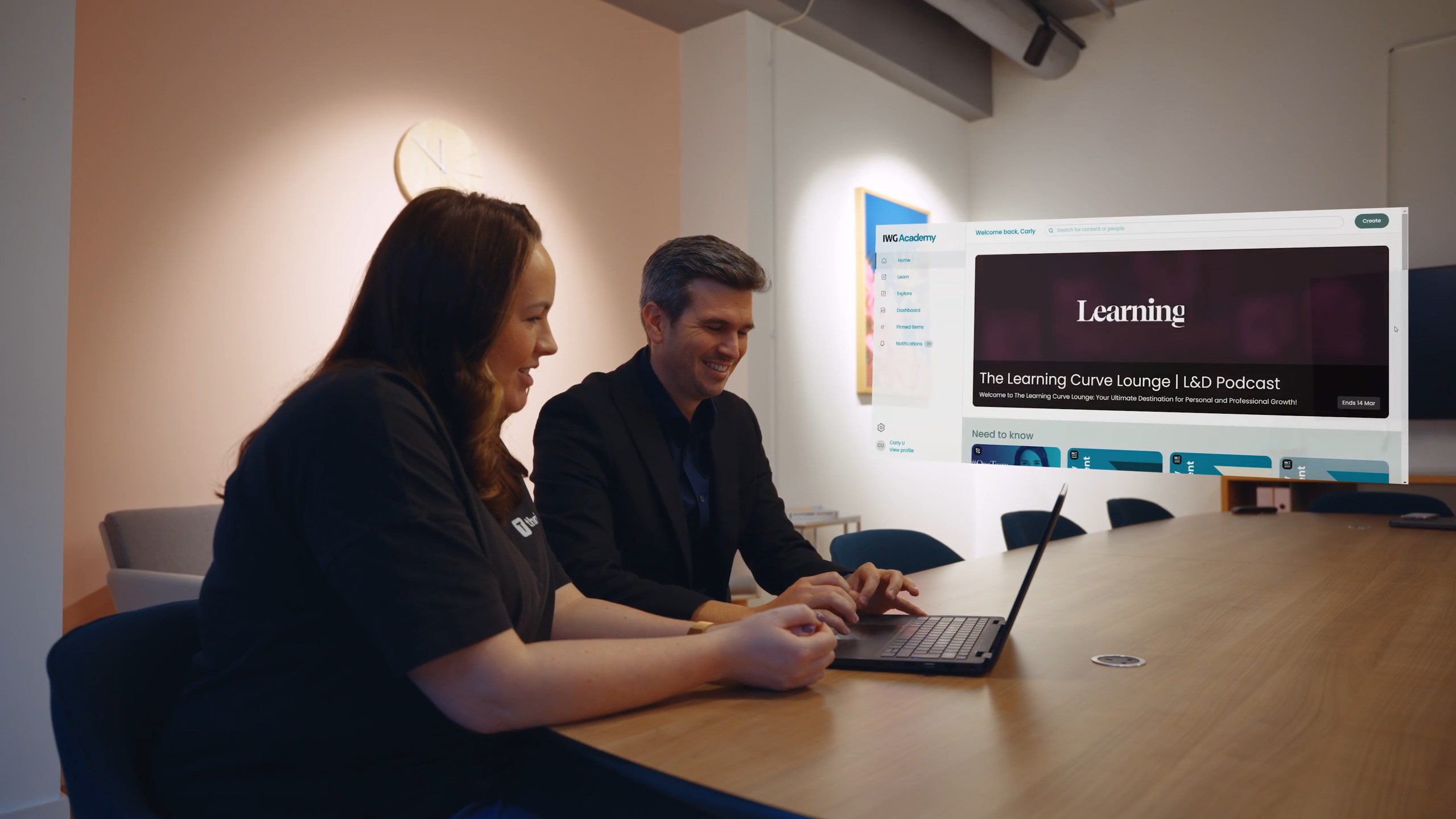
Over 1.2 million users have migrated to Thrive from platforms like Cornerstone, Docebo and Moodle.

What is learning management system migration?

LMS migration is the process of moving your content, users and learning records from one learning management system to another. Thrive's Professional Services team handles it for you, from content mapping and data transfer to user transition, so your learning history comes with you and people can pick up where they left off.

Your LMS migration project plan, step by step

Content mapping and clean-up

We map your existing courses, files and pathways to their new home in Thrive. It's also the perfect moment to retire outdated content, so you launch with a library that's fresh and easy to navigate.

LMS data migration

Users, historical completions and learning records are moved across in bulk, with data integrity checked along the way. Nothing gets left behind, so compliance records and learning history stay intact.

Integrations and single sign-on

Your HR systems, single sign-on and SCIM provisioning are reconnected on staging and production, so the right integrations are with the right people and in the right place from day one.

Logos of apps that integrate with Thrive, including Microsoft Teams, Slack, Zoom, Workday, Salesforce and HubSpot

A smooth transition for your learners

We help you plan the switchover and launch campaign, so learners move across without disruption. Hypercare support after go-live keeps everything running while your team settles in.

"A large part of implementing a new LMS is the transfer of all your records and learning histories from your old platform to your new one. That just felt like a breeze. It didn't feel difficult at all. We just did mass uploads of the data and the data was there."

Lee Rathbone
Head of Learning & Development, Apex Hotels

What teams gained after switching LMS

Every switch is different, but the results speak for themselves. Here's what these teams gained after their LMS migration to Thrive.

Onboarding

50%

reduction in time to competency at Blue Light Card after switching.

Adoption

40%

increase in platform adoption at Alto after switching from Docebo.

Speed

100%

of learning history and records moved across in three months at Apex Hotels.

ROI

50%

less spent on L&D at Great Places after moving from Totara.

Sales

4%

lift in sales conversion at Yopa after leaving Moodle.

Thrive has migrated over 1.2 million users from platforms like Docebo, Cornerstone and SAP Litmos, with migrations taking as little as six weeks.

Plan my migration→

What happens to your content in an LMS migration

Here's exactly what moves across, what's rebuilt and how Thrive makes sure nothing gets lost along the way.

LMS migration scope: which content moves to Thrive, what is rebuilt and how each item is handled
Your contentFrom your current LMS What happensAt a glance How Thrive handles itOur side of the move
E-learning courses
SCORM 1.2, SCORM 2004, xAPI and cmi5
Moves across

Imported in bulk with titles, descriptions and metadata, then tested in a staging site before going live

Videos and captions Moves across

Videos move with their subtitles and captions, with playback and accessibility tested

Articles, PDFs and files Moves across

HTML, DOCX, Markdown, PDF, XLSX and PPTX content imported and tagged so people can find it

Links and events Moves across

URLs and events imported with their metadata, and every link checked

Completion records and user data Moves across

Historical completions mapped to your users and checked against your original data, so they show in transcripts and reports

Learning pathways Rebuilt

Recreated in Thrive with the same order, dependencies and completion rules, then tested with test accounts

Tags, collaborations and audiences Mapped

Your existing taxonomy translated to Thrive equivalents on a shared mapping sheet

LMS migration FAQs

What is LMS migration?

LMS migration is the process of moving your content, users and learning records from one learning management system to another. Thrive's Professional Services team handles it for you, from content mapping to data transfer and user transition, so your learning history comes with you.

How long does an LMS migration take?

An LMS migration with Thrive can take as little as six weeks, depending on how much content and data you're moving and how many systems need connecting. Apex Hotels moved everything from its previous LMS, including all learning history and records, in three months. Your team agrees a clear timeline with you as part of your LMS implementation plan.

What data can be migrated to a new LMS?

LMS data migration can include your users, historical completions, learning records and existing content, so compliance history and progress stay intact when you switch. Data is moved in bulk, with integrity checked along the way, so nothing gets left behind.

How do you migrate existing training content to a new LMS?

Start by mapping your existing courses, files and SCORM packages to where they'll live in the new platform, and retire anything outdated along the way. Thrive's team then moves your content across in bulk and organises it into learning pathways and Spaces, so learners can find what they need from day one.

Which platforms can Thrive migrate from?

Thrive has migrated organisations from Cornerstone, Docebo, Absorb, Learning Pool, Kallidus, SAP SuccessFactors, SAP Litmos, Totara, Moodle and LearnUpon, with over 1.2 million users migrated in total. Because our team handles content mapping, data transfer and user transition for you, switching to Thrive is straightforward whichever platform you're moving from.

What should an LMS migration checklist include?

A good LMS migration checklist covers: an audit of existing content, a clear project plan and timeline, what user and completion data needs to move, which systems and single sign-on need reconnecting, testing before go-live, a launch campaign for learners and support after launch. Thrive's team works through all of these with you as part of your migration.

What's included in Thrive's LMS migration services?

Thrive's LMS migration services cover content mapping and clean-up, bulk data migration of users and historical completions, single sign-on and SCIM provisioning on staging and production, and a planned transition for your learners. Hypercare support after go-live keeps everything running smoothly, as part of your wider LMS implementation.

Will learners notice the switch to a new LMS?

Only in a good way. With single sign-on in place and their learning history moved across, learners can log in and pick up where they left off. A planned launch campaign introduces the new platform, and Thrive's team helps keep learner engagement high after the switch.

More ways we help your LMS deliver

LMS implementation

Go live in as little as six weeks, with a dedicated Implementation Specialist and a clear plan.

Explore →

LMS support & success

24/7 help across chat, phone and tickets, plus a named Account Director focused on your goals.

Explore →

Learner engagement

Campaigns, content guidance and workshops that keep learners coming back long after launch.

Explore →